

Pathfinding
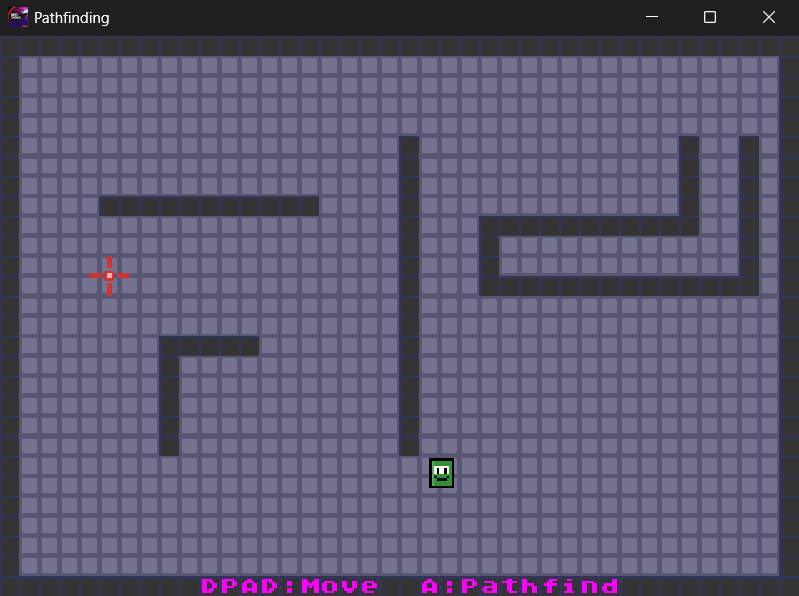
MD Engine includes an optional pathfinding module that automatically finds routes between two points on a scene's collision map. It supports multiple search algorithms with different movement styles and tradeoffs.
The module only gets compiled into your ROM if your project uses any pathfinding events.
Algorithms
You can choose the pathfinding algorithm in the Settings panel under Pathfinding.
Best-First Search
The default algorithm. Searches in 8 directions (including diagonals) and finds paths very quickly. Paths are usually good but may not always be the absolute shortest route, especially around complex obstacles. Best suited for most games.
A* (A-Star)
Searches in 8 directions and always finds the optimal path. Slightly slower than Best-First Search but guarantees the shortest route. Best suited for games where path quality matters more than speed.
How It Works
- Find Path computes a route from a start position to a goal position, avoiding collision tiles.
- The result is stored in a path slot (referenced by a variable). The path is a sequence of direction steps.
- Follow Path makes an actor walk the path step by step at a given speed.
- When the actor finishes walking, the path slot can be reused.
Path Slots
Paths are stored in a fixed-size pool. The number of simultaneous path slots can be configured in Settings (default: 4, range: 2-8). Each slot holds up to 64 direction steps.
A path slot is allocated when you use Find Path and must be freed when you no longer need it. If all slots are in use, Find Path will fail.
Each slot also records the status of its search, which If Path Status checks: searching while the search is queued or still running, found once the goal is reached, and failed when there is no path, when the start or goal is outside the search area, when no slot was free, or when the search was dropped. Searches share one search area, so they run one at a time: each Find Path joins a queue and starts when the searches before it have finished, so several actors can search at once. A scene change fails every queued search, and Free Path removes the slot from the queue. Follow Path on a slot that is still searching waits for the search to finish.
Always free path slots when you're done with them. If you forget, the pool will fill up and no new paths can be computed.
Scripting Events
For a full reference of all pathfinding events with field descriptions and previews, see the Pathfinding Event Glossary.
Settings
The pathfinding settings are found in the Pathfinding section of the Settings panel.
- Max Paths - The maximum number of simultaneous path slots (default: 4, range: 2-8).
- Budget - How many search nodes the pathfinder processes per frame, in both modes (default: 64). Higher values find paths in fewer frames but take more of each frame. Set to 0 for unlimited: the search then finishes in the frame it starts, however long that frame becomes.
- Algorithm - Choose between Best-First Search (fast) and A* (optimal).
- Queue Size - Controls how large an area the pathfinder can search. The default (Small) works for most games. Increase if pathfinding fails on very large open maps.
Tips
- Use the smallest actor footprint that makes sense for your game. Smaller actors are significantly faster to pathfind.
- With Block Until Found the script waits on the Find Path event while the engine searches with the selected Algorithm, a Budget of nodes per frame, so the game keeps running. Without it the script continues at once, the search runs as a 4-direction flood (the algorithm setting is not used), and If Path Status tells when it is done.
- Lower the Budget if searches slow the game down; raise it if paths take too many frames.
- Best-First Search is the fastest algorithm overall but may occasionally take a longer route around complex obstacles. If path quality matters, use A*.
- Make sure your collision map accurately represents walkable areas.
See Also
- Collisions - Collision system and collision tile settings
- Behaviours - Movement behaviours for actors